Windows 11 September 2026 Update Disrupts File History Backups

MS has acknowledged that Windows 11 may fail to back up files correctly through File History, even when the feature has been configured properly. Testing indicates that the problem affects many devices running the September 2026 update, although users may not immediately notice that their backups have stopped.
The issue specifically affects File History, a Windows feature designed to protect personal files and folders from accidental deletion, unwanted changes, or other forms of data loss.
The problem appeared after the mandatory September 8 update. MS did not acknowledge the File History bug until September 22.
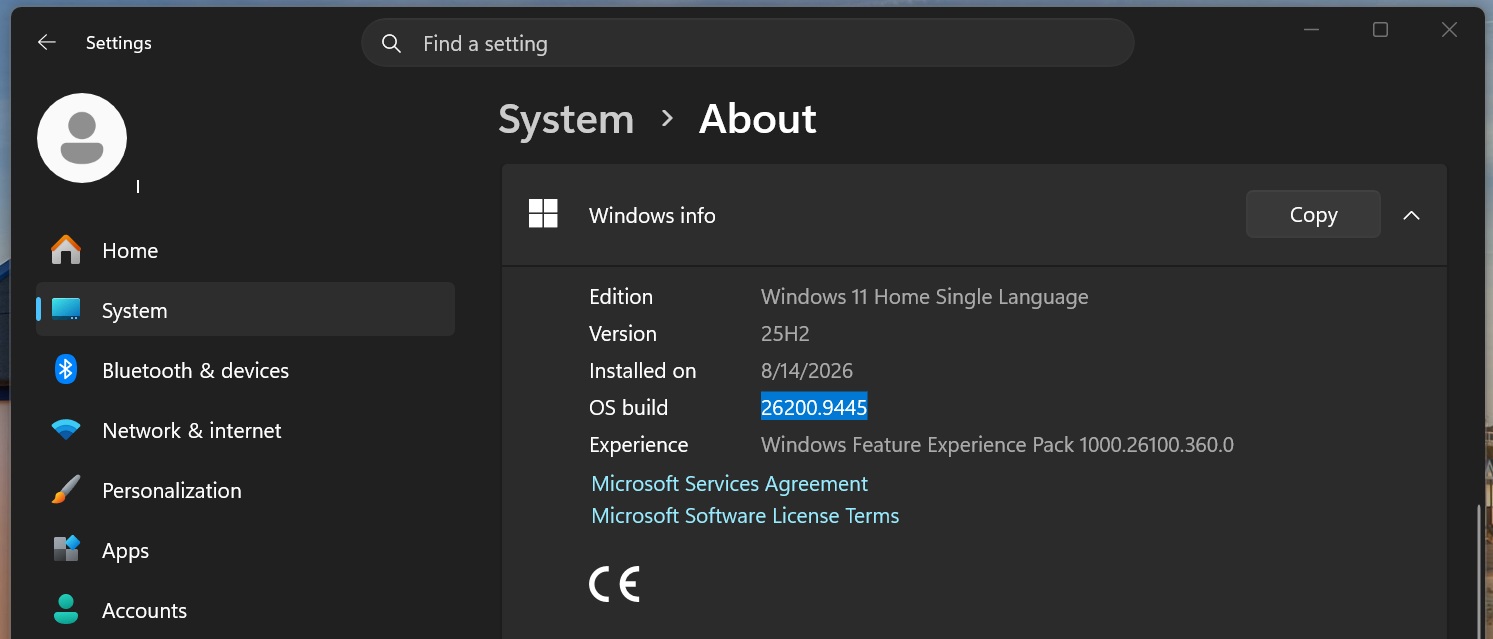
The affected update is Windows 11 KB5124008, which upgrades Windows 11 25H2 to Build 26200.9445 and Windows 11 24H2 to Build 26100.9445.
How File History Works and What the Update Broke
File History automatically creates multiple copies of personal files, allowing users to restore an earlier version when a file is accidentally deleted, overwritten, or edited. It can protect default Windows libraries such as Documents, Pictures, Videos, and Music, along with custom libraries.
MS describes File History as one of the simplest ways to protect personal files and folders. The company explains that the feature automatically backs up libraries and allows additional folders to be protected by adding them to an existing library or creating a new one.
Setting up File History requires an external drive or a network location. Windows then backs up files periodically, enabling users to browse available versions and restore the required copy.
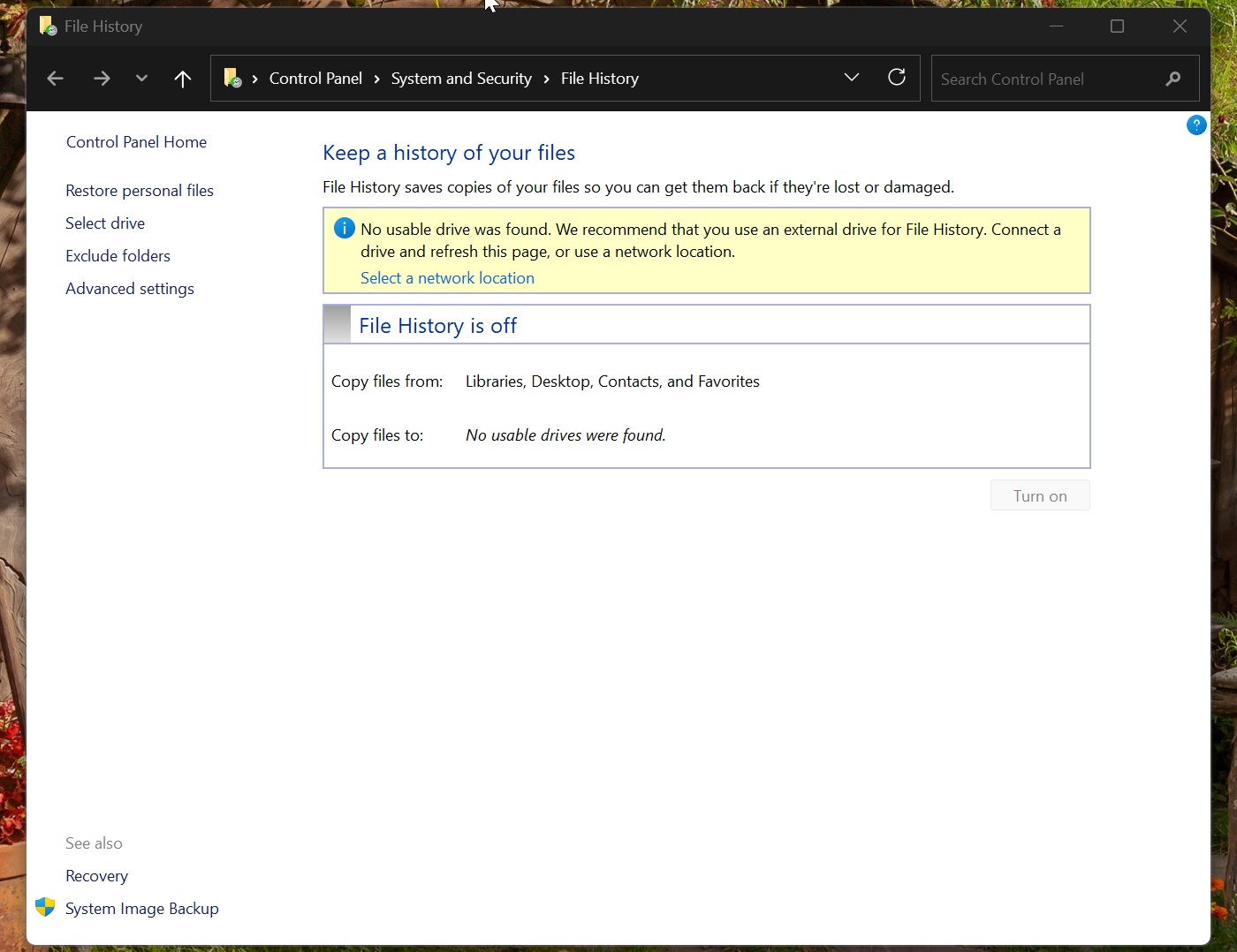
After the September 2026 update, File History could no longer recognize some connected drives, even when there were no hardware or network problems.
MS confirmed the issue, stating that some customers who installed security update KB5124008 might be unable to create or update File History backups. The feature remains accessible through Control Panel > System and Security > File History.
False Drive Warnings and Incorrect Backup Times
Affected PCs may incorrectly display a “Reconnect your drive” warning even when the configured backup drive is connected and operating normally. Testing reproduced the problem with a new SSD that remained fully accessible through File Explorer and third-party applications.
MS confirmed that the reconnect warning can be false and does not necessarily indicate a problem with the external drive. The fault originates in Windows 11.
The update can also cause the “Last backup” timestamp to become outdated or display the wrong time. As a result, File History may fail to present an accurate timeline of backed-up files.
MS also noted that Event Viewer may record application crash events involving FileHistory.exe and KERNELBASE.dll.
Emergency Update Did Not Resolve the File History Bug
Following problems with the September 2026 Patch Tuesday release, MS issued emergency update KB5129195 on September 14. It upgrades Windows 11 25H2 to Build 26200.9457 and Windows 11 24H2 to Build 26100.9457.
The emergency update fixed at least two significant problems, including Remote Desktop Protocol errors and an issue affecting Linux-based applications such as Claude Cowork. It also addressed a multichannel audio problem. However, MS confirmed that it did not fix File History.
Optional Update Restores File History Only Partially
MS released a third September update, Windows 11 KB5124010, on September 22. This optional preview update advances Windows 11 25H2 to Build 26200.9550 and Windows 11 24H2 to Build 26100.9550.
File History begins working again after this update, but the feature is not fully repaired for every user. A remaining bug can prevent File History from operating correctly when “Execute now” is selected in Control Panel.
One affected user reported that clicking the button under Control Panel > System and Security > File History failed to synchronize the displayed last-copy date and time with the latest backup. The backup drive remained accessible, and files could be opened and saved normally, but modifying a file and manually starting a backup did not update the latest backup time or file version. The Previous Versions tab continued to report that no earlier version was available.
Although File History now appears to function in some situations, the fix remains incomplete and is currently included only in an optional update.
As a temporary alternative, affected users can use OneDrive and wait for the October 2026 Patch Tuesday update, scheduled for October 13.