Windows 11 Will Block ReFS-Formatted USB Drives by Default

MS is testing ways to make clean installations of Windows 11 possible on a Resilient File System (ReFS) partition rather than the familiar NTFS format. Although ReFS has been viewed as a potential successor to NTFS, MS has confirmed that ReFS-formatted USB drives will be blocked by default beginning with the January 2027 security update.
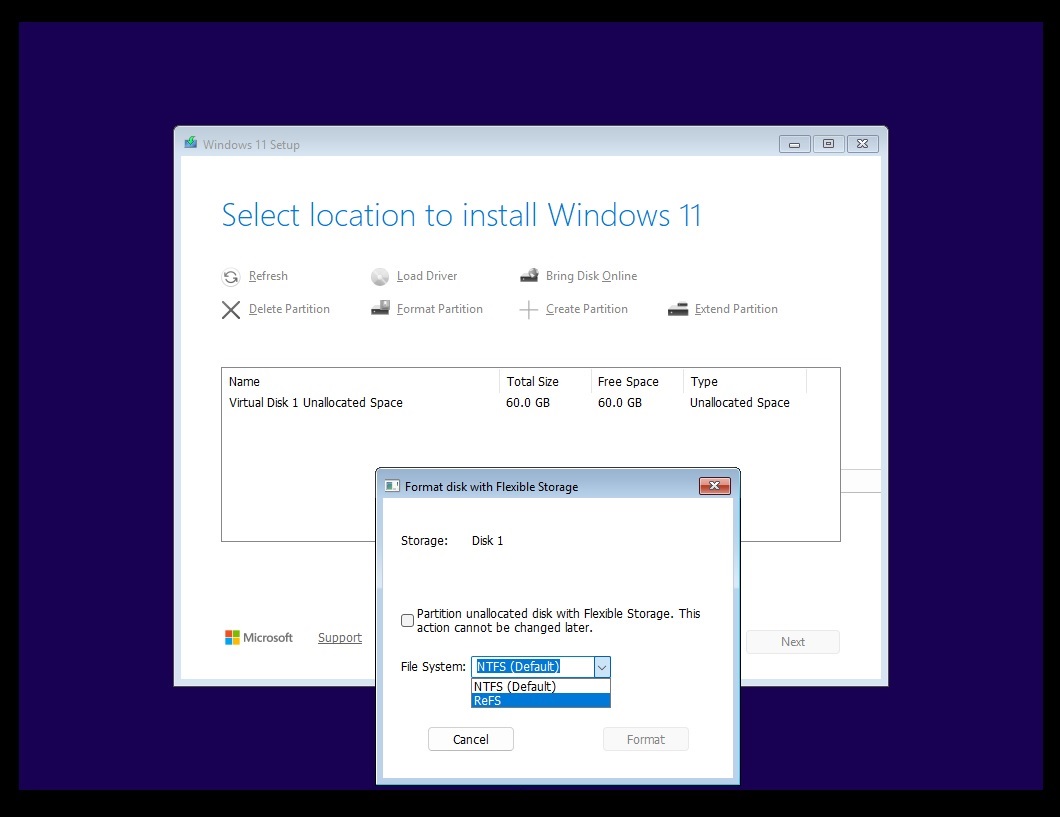
ReFS offers several advantages over NTFS, including improved performance, security, data integrity, and support for partitions as large as 35 petabytes. MS already uses the file system for Windows 11 Dev Drives and has tested a ReFS formatting option in Windows Setup.
MS Confirms Restrictions on ReFS USB Drives
Windows has previously allowed removable media formatted with ReFS, even though MS officially classifies this as an unsupported configuration. Unsupported does not necessarily mean unusable, but MS is now moving to prevent these volumes from mounting by default, citing security among its reasons.
According to MS, ReFS on removable media such as USB disks is not a supported configuration. Users who need to continue accessing ReFS-formatted removable storage will have to override the default behavior through Group Policy or the Windows Registry.
Warnings Arrive Before Enforcement Begins
The restriction is being introduced in two phases. The first phase arrives with the Windows 11 October 2026 update and audits external ReFS volumes without automatically blocking them.
When Windows detects an affected drive, it records a warning in Event Viewer under the ReFS source with Event ID 524. A notification also appears in the system tray under the removable-device icon.
Windows logs the warning once for each affected volume during every boot and tracks up to 32 external ReFS volumes.
The second phase begins with the January 2027 monthly security update. At that point, auditing and blocking will be enabled by default. External ReFS volumes that meet the configured removable-media conditions will not mount unless an administrator explicitly changes the relevant policy.
The restriction operates at the mounting level. Windows will not delete files from an affected drive, but users may lose access to the volume after the update. MS advises ensuring that any required data is also available on supported storage before enforcing the policy.
MS Has Expanded ReFS Support in Windows 11
The decision to restrict ReFS on removable storage is notable because MS has given the file system a larger role in Windows 11. The Dev Drive feature, for example, uses ReFS to support developer-focused workloads.
MS has also introduced several ReFS improvements. In 2024, Windows gained support for native block cloning, allowing eligible copies on the same ReFS volume to share existing data blocks. If one copied file is modified, ReFS writes the changed data separately so that the files remain independent.
ReFS Can Be Significantly Faster Than NTFS
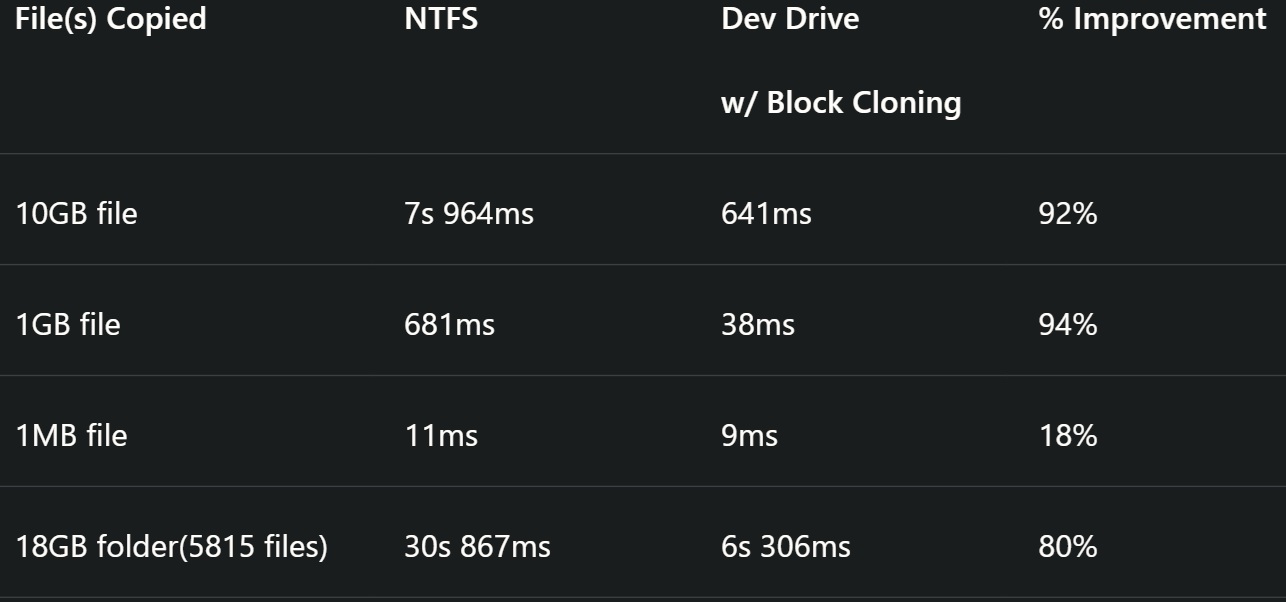
MS benchmarks have demonstrated a substantial performance advantage for ReFS under specific conditions. In one test, Windows 11 copied a 10GB file in 7.964 seconds on an NTFS drive. The same operation took only 641 milliseconds on a Dev Drive using ReFS with block cloning enabled, representing a 92% reduction in copy time.
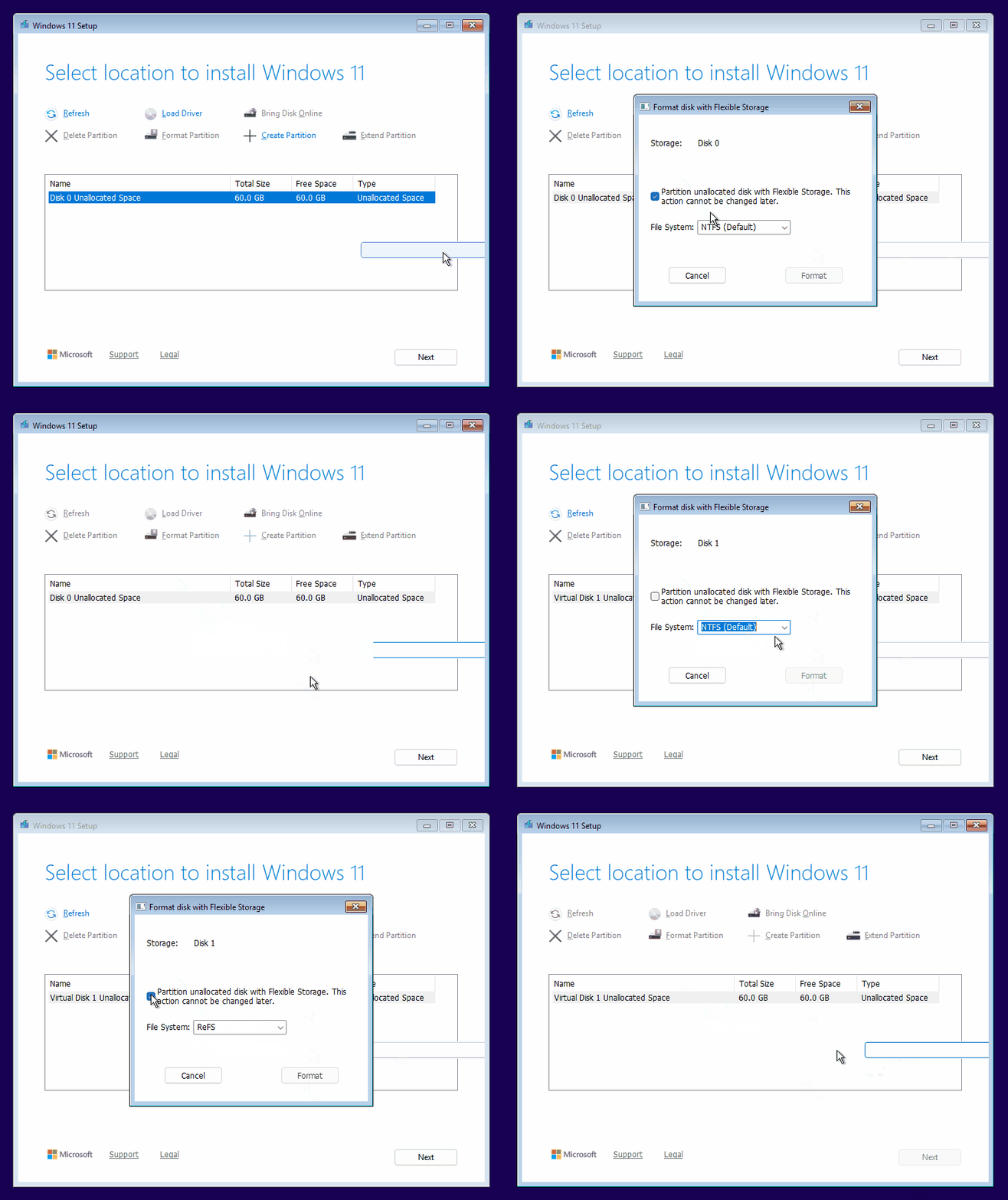
MS also tested ReFS as a Windows formatting option in builds released in March 2025. Although ReFS appeared in Windows Setup, an attempted installation on the format failed with an error. Its presence nevertheless indicates that MS has explored using ReFS more broadly.
It remains unclear whether ReFS will eventually replace NTFS as the default Windows file system. MS could instead reserve ReFS for demanding workloads while continuing to use NTFS as the general-purpose option.
How to Prevent Windows 11 from Blocking ReFS USB Drives
Users with external or USB drives formatted as ReFS can either reformat them as NTFS or modify the applicable Windows policy.
The policy setting is named RefsRemovableDeviceMountPolicy. Configuring it through Group Policy can prevent Windows from blocking ReFS-formatted USB drives when enforcement begins in January 2027.
A local Registry configuration is also available as a DWORD value with the same name. MS additionally documents this DWORD for Group Policy configuration under HKEY_LOCAL_MACHINE\SYSTEM\CurrentControlSet\Policies.
MS does not recommend using ReFS on external drives because removable ReFS media remains unsupported. However, the company has not explained why it chose to block such drives by default rather than formally adding support.